

Modern pavement contractors face intense competition where speed and visual clarity determine win rates. Automating customized proposals with images transforms the traditional quoting process from a days-long administrative burden into a rapid, high-impact sales tool. By leveraging cloud-based software, companies can now generate professional, image-rich documents in minutes, directly impacting their bottom line and customer satisfaction. (Paving Sealcoating Concrete Pavement)
Why Automation Matters in Pavement Sales
The pavement industry operates on tight margins and fast-moving project cycles. When a property manager or municipal official requests a quote, they often receive multiple bids simultaneously. The contractor who responds fastest with the clearest visual evidence of their understanding of the project scope typically wins the business. Manual proposal creation is prone to errors, delays, and inconsistent branding, which can cost a company significant revenue. (Testimonials Pavement Layers Pavement)
According to industry data, businesses that utilize automated sales processes see a significant increase in conversion rates compared to those relying on manual entry. In the context of paving, sealcoating, and concrete services, the ability to instantly attach site photos, maps, and precise measurements to a proposal creates a tangible sense of professionalism and preparedness. This visual proof reduces client anxiety and accelerates the decision-making process.
Furthermore, automation ensures that every proposal adheres to company standards. It eliminates the risk of a salesperson forgetting to include critical insurance documents, safety specifications, or warranty information. By standardizing the output, you protect your brand reputation and ensure that every client receives a consistent, high-quality experience regardless of which team member generates the quote.
The Automation Workflow Explained
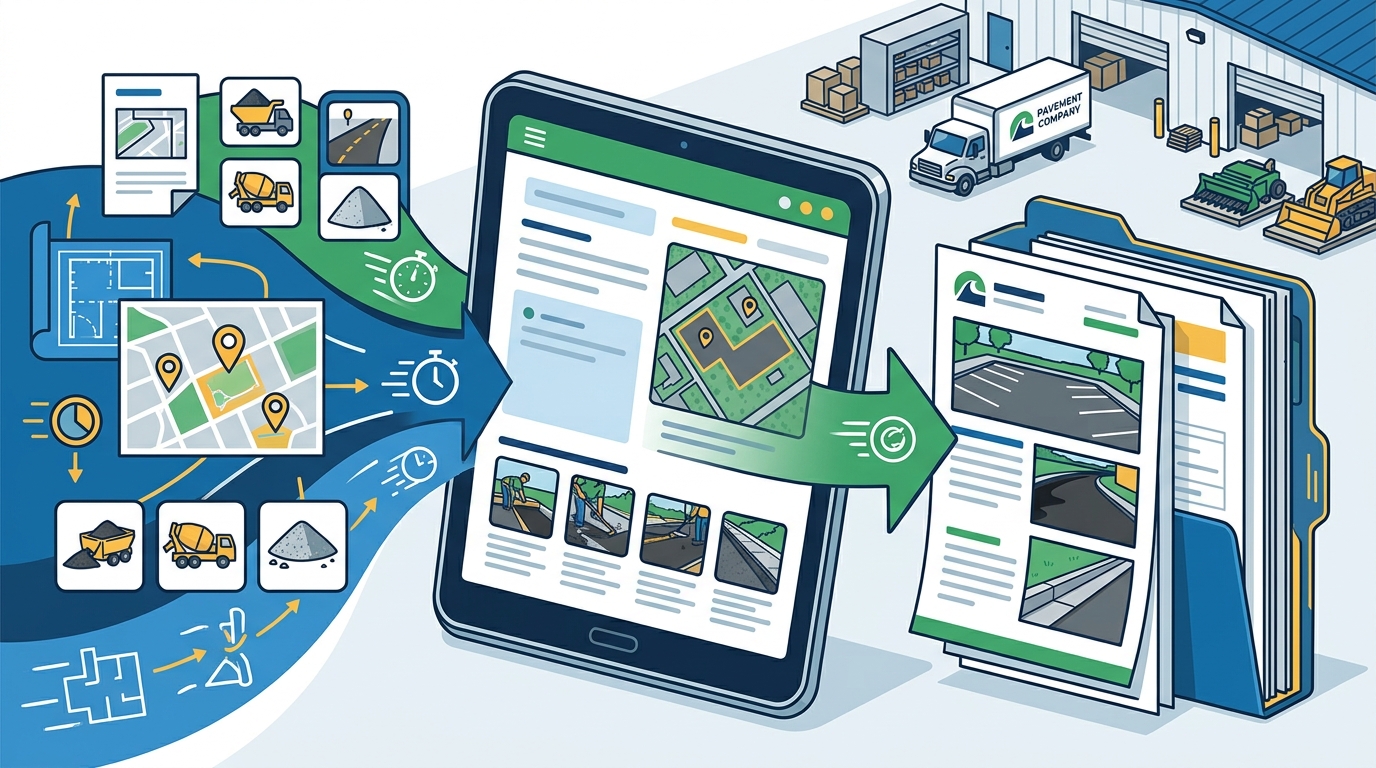
Understanding how to automate customized proposals requires a clear view of the digital workflow. The process begins long before the proposal is drafted, starting with the initial contact. When a prospect is entered into a Customer Relationship Management (CRM) system, their data is organized and tracked from the very first interaction.
The next stage involves lead management and estimating. Instead of manually calculating square footage or linear feet, modern software integrates with field measurement tools. This data is automatically pulled into the estimating module, where costs for materials, labor, and equipment are applied. Once the estimate is finalized, the system triggers the proposal generation phase.
During proposal generation, the software pulls pre-loaded templates, company branding, and specific project details. Crucially, it allows for the insertion of dynamic content, such as images captured from the job site. These images are not just static files; they can be annotated with zones, repair areas, and measurements, providing a clear visual scope of work. The final step is distribution, where the proposal is sent via email with tracking capabilities, allowing you to know exactly when the client opens and views the document.
Integrating Field Data and Images
The most critical component of a winning pavement proposal is accurate, visual data. Traditional methods often rely on rough sketches or generic stock photos, which fail to convey the specific needs of the client's property. By integrating field data directly into the proposal, you demonstrate precision and attention to detail.
Tools like WheelitOff enable field teams to capture high-resolution images of the pavement surface, mark repair zones, and measure areas directly from an iPad or Android device. This data is then synced to the cloud-based proposal software. When the sales team generates the quote, they can drag and drop these annotated images directly into the document.
This integration ensures that the proposal is not just a price list, but a comprehensive project plan. Clients can see exactly where cracks will be sealed, where sealcoating will be applied, and where concrete repairs are needed. This transparency builds trust and reduces the likelihood of scope creep or disputes later in the project. According to a study on sales effectiveness, visual aids in sales proposals significantly increase the perceived value of the service offered.
Essential Software Features
To successfully automate customized proposals with images, your software stack must include specific capabilities. First, the platform must support real-time collaboration between field teams and the office. This ensures that the data used in the proposal is current and accurate. Second, it must offer robust template customization, allowing you to insert your logo, brand colors, and specific service specifications easily.
Another essential feature is the ability to track proposal engagement. Knowing when a client opens your proposal and how long they spend on each page provides valuable insights into their interest level. This data allows your sales team to follow up at the optimal time, increasing the chances of closing the deal. Additionally, integration with accounting software like QuickBooks is vital for seamless transition from quote to invoice, reducing administrative overhead.
Finally, the software should be accessible from any device connected to the internet. This flexibility allows your team to generate proposals on-site, during client meetings, or from the office. The ability to work from laptops, tablets, or smartphones ensures that you can respond to opportunities quickly, regardless of your location. This agility is a key competitive advantage in the fast-paced pavement industry.
Software Comparison Overview
Choosing the right software for automating your proposals is a critical decision. Below is a comparison of key features to consider when evaluating pavement management solutions.
| Feature | Pavement Layers | Traditional CRM | Generic Estimating Tools |
|---|---|---|---|
| Customized Proposal Generation | Yes, with image integration | Limited or manual | No |
| Field Data Integration | Direct via WheelitOff | Requires manual entry | Varies |
| Real-Time Tracking | Yes, for all project stages | Yes, for leads only | No |
| QuickBooks Integration | One-click integration | Often requires add-ons | Basic export only |
| Industry Specificity | High, built for pavement | Low, general purpose | Medium |
Key Takeaways
- Automating proposals reduces the time to generate quotes from days to minutes, allowing for faster response times.
- Integrating annotated images from the field provides visual proof of scope, increasing client trust and win rates.
- Pavement Layers offers a specialized solution with pre-loaded specifications for paving, sealcoating, and concrete services.
- Real-time tracking of proposal engagement helps sales teams prioritize follow-ups effectively.
- Seamless integration with QuickBooks and field tools like WheelitOff streamlines the entire workflow.
- Cloud-based access ensures that proposals can be generated from any device, anywhere.
- Companies using automated processes report faster setup times, often under two hours, with immediate impact.
Frequently Asked Questions
Can I customize the look of my proposals?
Yes, you can fully customize proposals with your company logo, brand colors, and specific service specifications. The software allows you to create templates that reflect your brand identity, ensuring every proposal looks professional and consistent.
How do I add images to my proposals?
You can upload images directly from your field team using integrated tools like WheelitOff. These images can be annotated with measurements and repair zones, then dragged and dropped into the proposal document for a clear visual scope of work.
Does the software integrate with QuickBooks?
Yes, Pavement Layers offers one-click integration with both QuickBooks Desktop and QuickBooks Online. This allows for seamless data transfer from estimates to invoices, reducing manual entry and errors.
Is there a free trial available?
Yes, we offer a free 14-day trial. This allows you to explore the features, test the proposal automation, and see the impact on your workflow before committing to a subscription.
How long does it take to set up?
Complete setup typically takes less than two hours. Our team provides included support and training to ensure your entire company is up and running quickly, minimizing disruption to your daily operations.
Can I track when a client opens my proposal?
Yes, the software includes real-time tracking capabilities. You will receive notifications when a client opens your proposal, views specific sections, or forwards it to others, giving you valuable insights into their interest level.
What types of pavement services are supported?
The software includes pre-loaded specifications for a wide range of services, including paving, repairs, milling, base repair, infrared repairs, sealcoating, crack sealing, line striping, concrete work, drainage, curbing, and sweeping.
Start Your Free Trial
Transform your pavement business with automated, image-rich proposals that win more work. Join hundreds of firms across North America who have already streamlined their sales process. Start your free 14-day trial today and see the difference a proven sales process can make for your company.